Introducing Notte Functions: One-Click Deployment for Browser Agents

One click turns your browser automation script into a callable API endpoint with optional cron scheduling. No infra setup, no wrapper code, no deployment pipeline.
TLDR:
Most browser automations (and your will to live) die at deployment. Turning a working script into a scheduled service requires infra setup, glue code, and a separate deployment pipeline. Notte Functions removes that friction: one click turns your script into a callable API endpoint with optional cron scheduling. The same browser infrastructure and execution model for building, testing, and running in production.
The Last Mile
Here's what deployment usually requires:
- Pick an infra platform (Vercel, AWS Lambda, containers)
- Write wrapper code to expose your script as an HTTP endpoint
- Wire in secrets, proxies, retries
- Set up a scheduler (cron, AWS EventBridge, etc.)
- Add monitoring and alerting
This is operational overhead, and it's where most scripts stall out. The workflow works, but deployment never gets prioritised.
Notte Functions solves this. Your script becomes a production service without leaving the Console.
How It Works
1. Build in the Automation Studio
You write the automation using either:
- Code: Direct scripting
- Agent Mode: Natural language → live execution → convert to script
- Demonstration Mode: Click through once → generated code
You test it in the live browser viewer. You debug with execution logs. You iterate until it's production-ready.
2. Publish as a Function
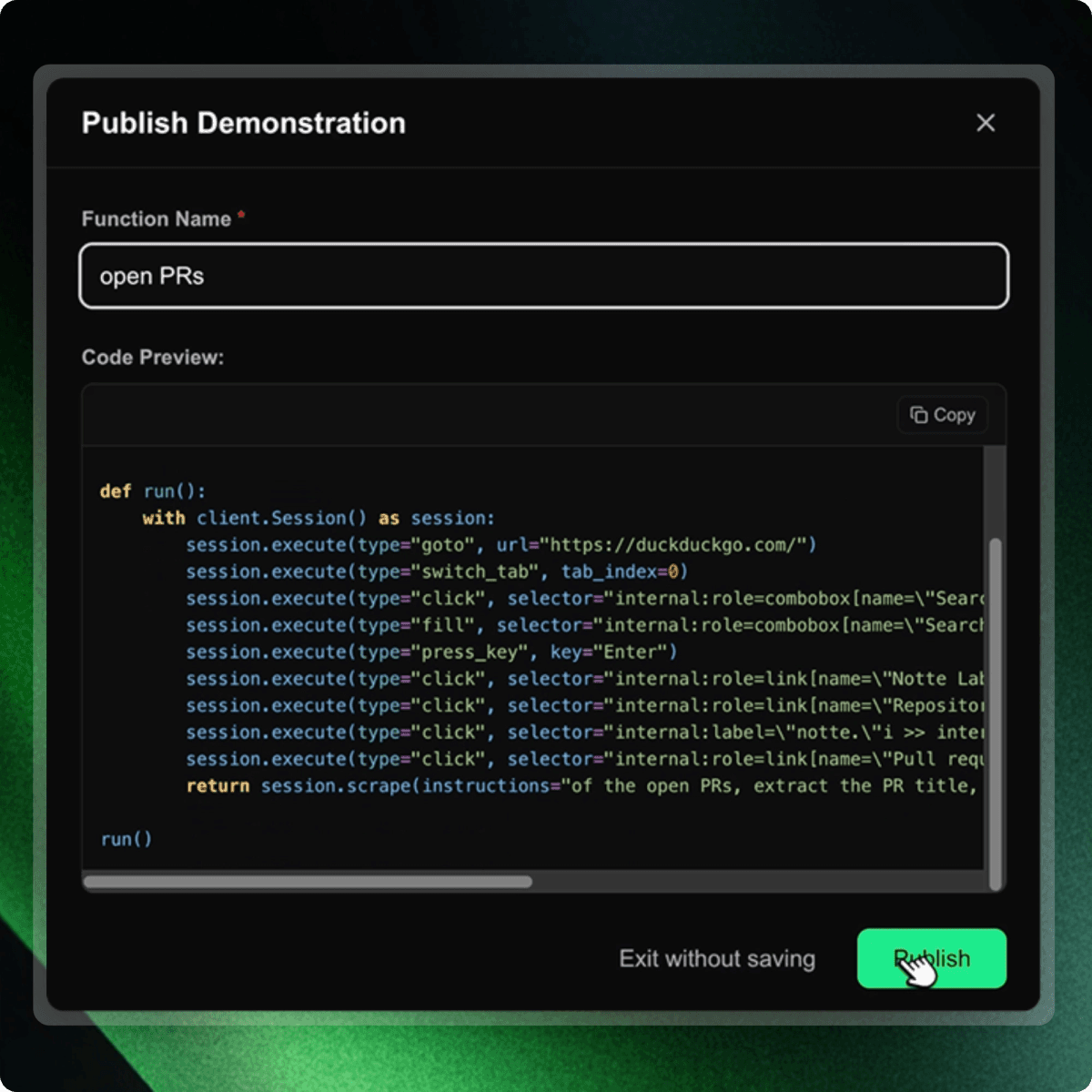
One click: "Deploy as Function"
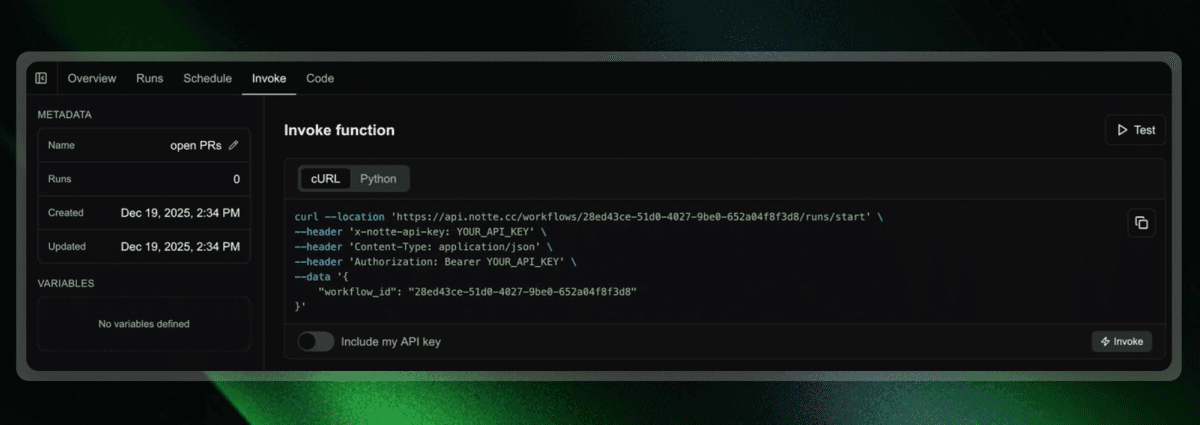
Notte does three things:
Creates an API Endpoint
Your script becomes a callable HTTP endpoint. Any service that can make an HTTP request can now trigger your automation.
Attaches Managed Infrastructure
The function runs on Notte's browser infrastructure. Sessions, proxies, concurrency, retries – the same browser infrastructure primitives you used in Automation Studio now back your production runs.
Enables Scheduling
Define cron-style triggers directly in the console:
- Every hour
- Daily at 7am
- Custom expressions
What You Get
Same Code, Dev to Prod
The script you tested in the Automation Studio is the production function. No rewriting or "works on my machine" bugs.
Observable Runs
Every function execution is logged. See inputs, outputs, errors, browser session replays. A detailed audit trail of function executions.
Scalable by Default
Functions auto-scale. Run one-off executions or many in parallel; Notte handles concurrency and rate-limiting for you.
Integrated with Identities and Vaults
Your function can use Agent Identities for auth flows and Vaults for credential management.
Why This Matters
For small teams: This is the difference between "we have a script" and "we have a service."
For larger teams: Reduces handoff friction between engineering and platform as developers own the full lifecycle.
For prototypes that need to ship: Functions close the gap. You don't abandon a working automation because deployment is hard.
Launch Week: The Full Loop
Day 1: Agent Identities
Agents get real email, phone, and credentials to handle auth autonomously.
Day 2: Automation Studio (IDE)
Write, run, and debug browser agents in one window with live browser view and execution logs.
Day 3: Agent Mode
Bootstrap with natural language, convert successful runs to deterministic code.
Day 4: Demonstration Mode
Click through workflows, generate precise scripts from your actions.
Day 5: Functions
Deploy those scripts as API endpoints with scheduling. One click.
The throughline:
Code you write. Infrastructure you don't manage. Agents that scale.
Get Started
Open the Notte console. Build a workflow. Deploy as a function.
Deployed by: console.notte.cc