Introducing Agent Mode: Prompt to Prototype

Use AI to explore and prototype browser workflows, then convert to deterministic code for production. The right way to build web agents.
The Right Way to Build Web Agents: Bootstrap with AI, Deploy with Code
The Problem: Agents in Production
Running web agents for every production request is usually a mistake. It’s non-deterministic, hard to debug, and creates a massive inference bill.
But on the other hand, writing every selector and wait-condition from scratch feel like a waste of time.
The Solution: Agent Mode + Convert to Script
Today we’re releasing “Agent Mode”. It allows you to use LLMs for what they are best at, i.e exploration and bootstrapping, and deterministic code for reliability and scale.
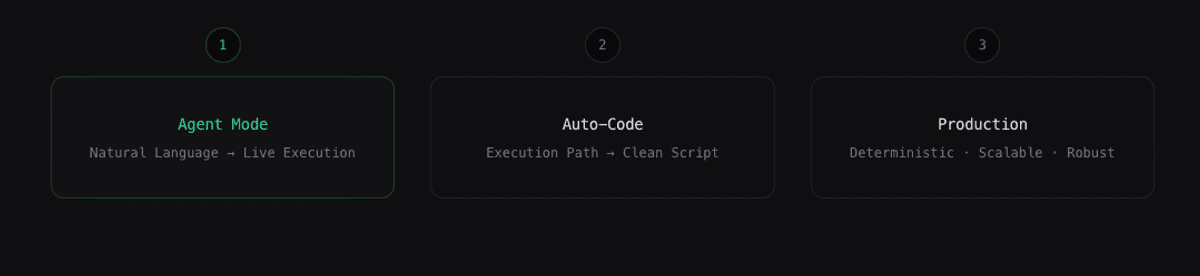
Here is the new workflow:
1. Bootstrap with Agent Mode Start with natural language. Open the Notte console and type a task like "Log into GitHub and extract the top 5 trending repos." A browser spins up instantly. You watch the agent navigate the dynamic DOM, handle wait states, and execute the task live.
2. Convert to Deterministic Code Once the agent figures out the path, you don't just get a result—you get the implementation. Click Convert to Script, and Notte converts the agent’s execution path into clean, editable code in your IDE.
3. Refine and Scale Now you have a deterministic script. You aren't relying on an LLM to "guess" the right button every time it runs. You can optimize selectors, add error handling, and integrate it into your codebase.
Why this matters
Most "prompt-to-automation" tools leave you with a probabilistic workflow that is scary to deploy. By converting the agent’s actions into code, you gain ownership. You capture the intent, solidify the logic, and turn an experiment into a production-ready automation.
Get started
Just begin with a prompt: console.notte.cc